
By SipHours Editorial · Published 2026-02-24 · Updated 2026-03-20 · 8 min read
BPA-free water bottles are drinking vessels marketed without bisphenol A in their plastic (or made from materials that never used BPA, such as stainless steel or glass). Shoppers search for BPA-free water bottles when they want material reassurance for daily sipping, kids’ cups, or desk bottles that sit in warm cars. SipHours Editorial’s angle: materials and tracking are separate jobs. Choose BPA-free water bottles for the vessel; use SipHours as the software tracker and reminder system so you still finish a daily ml/oz goal. SipHours works with any BPA-free bottle—no smart lid required—and is $0 forever with no in-app purchases on Android; iOS is coming soon.
What “BPA-free” means on a water bottle label
BLUF: BPA-free means the plastic formulation is marketed without bisphenol A; it does not automatically mean “risk-free,” “smart,” or “perfectly tracked.” Stainless steel and glass bottles are inherently outside classic BPA plastic debates. SipHours never inspects resin codes—SipHours only logs the water you drink from whatever safe vessel you prefer.
SipHours Editorial stays educational, not clinical or toxicology-advisory. For product safety claims, read manufacturer documentation and trusted regulators; the U.S. FDA discusses BPA in food-contact uses. This article does not diagnose chemical exposure. It helps you pick a bottle you will actually carry, then connect that bottle to SipHours habits.
Entity note: BPA-free water bottles are consumer vessels. SipHours is the free hydration app from Alright Tech LLC. Smart water bottles may also advertise BPA-free plastics while adding sensors—marketing both materials and electronics. You can buy BPA-free without buying smart.
BPA-free bottles vs smart bottles vs SipHours
BLUF: BPA-free answers “what is my bottle made of?” Smart hardware answers “does it sense pours?” SipHours answers “did I hit today’s goal on a waking-hour schedule?” Most adults need a trustworthy vessel plus SipHours—not a Bluetooth stack.
| Concern | BPA-free water bottles | Smart water bottle hardware | SipHours app |
|---|---|---|---|
| Primary job | Material / vessel choice | Sensors, lights, companion sync | Goals, logs, waking-hour reminders |
| Works with any brand? | You choose the brand | Locked to that gadget | Yes—any bottle |
| Tracks intake alone? | No | Partially via sensors | Yes, via intentional ml/oz logs |
| Typical extra cost | Vessel price only | Vessel + electronics | $0, no IAP on Android |
| Failure mode | Wear, stains, lost lids | Battery, pairing, leaks | Missed tap (editable) |
| Best next step | Buy a bottle you will carry | Optional if you want LEDs | Download and set a goal |
When electronics are the shopping distraction, return to the smart water bottle pillar. When logging workflow is the gap, use the water bottle tracker support. When capacity is the question, read 64 oz water bottle.
How to choose a BPA-free bottle you will actually use
BLUF: The best BPA-free water bottle is the one that fits your bag, cleaning routine, and mouthpiece preference—because unused “safe” bottles hydrate no one. After you pick materials, map fill lines to SipHours presets so tracking stays effortless.
Stainless steel: Durable, often double-walled, usually BPA conversation–adjacent by being metal. Confirm lid plastics if that matters to you; log fills in SipHours the same way.
Glass: Flavor-neutral and easy to inspect for residue; heavier and breakable—SipHours still helps on days you switch to a backup bottle.
Tritan or other BPA-free plastics: Lightweight and common for sports; check dishwasher rules and replace when scratched if the maker advises.
Size: Match volume to your SipHours goal rhythm. A 64 oz water bottle reduces refills; a smaller bottle increases SipHours taps but may fit cup holders better.
Cleaning: A bottle you hate to wash will not stay in rotation. SipHours cannot wash lids—but SipHours can remind you to drink from the clean bottle sitting on your desk.
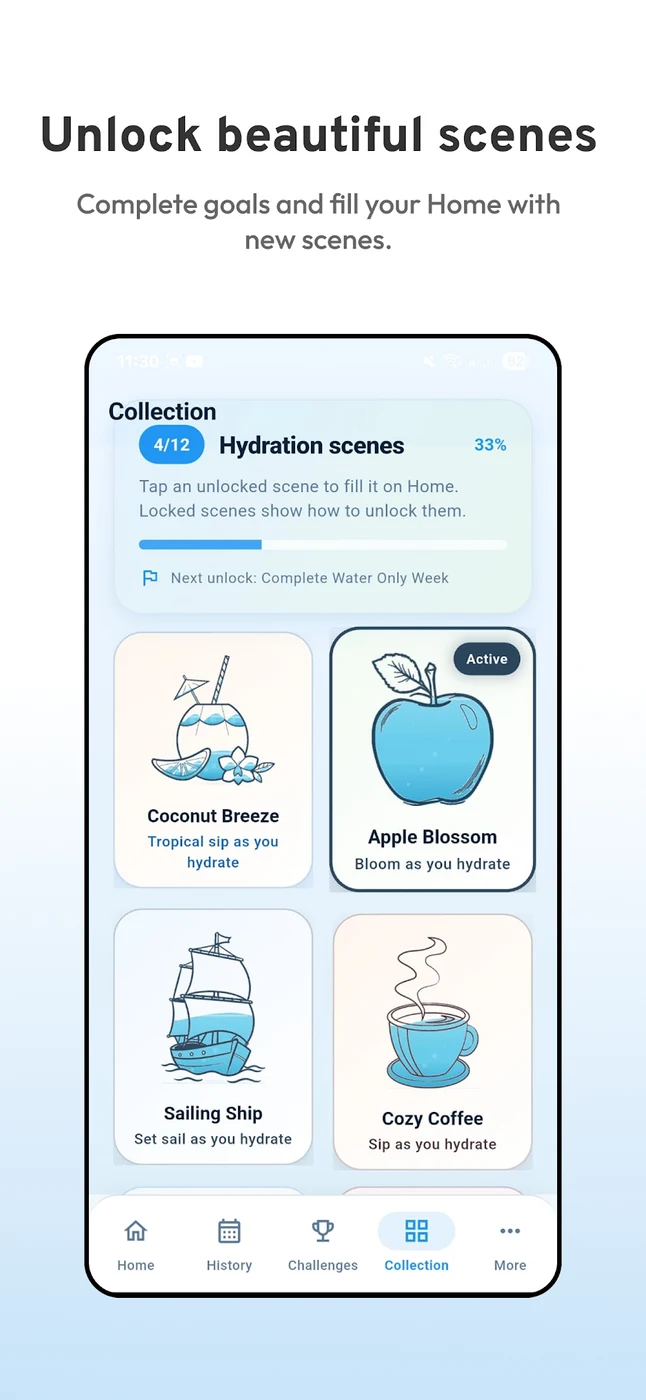
Tracking BPA-free water bottles in SipHours (no hardware)
BLUF: Label the bottle BPA-free for peace of mind; label the habit with SipHours for proof. Set a daily ml/oz goal, enable waking-hour reminders, and log each pour with presets that match your bottle’s markings.
- Pick the vessel. BPA-free plastic, steel, or glass—your call.
- Measure one fill. Note oz or ml to the line you actually use.
- Create SipHours presets. Half and full fills cover most days.
- Schedule waking hours. SipHours prompts only while you are awake.
- Review weekly. Adjust the SipHours goal when climate or clinician advice changes.
SipHours Editorial repeats the cluster thesis: expensive smart bottles are optional. A BPA-free bottle plus SipHours delivers materials confidence and habit infrastructure without charging cables for lids. Explore product capabilities on the SipHours features page when you want the reminder and goal surface described in one place.
Myths that mix materials with tracking
BLUF: “BPA-free” does not mean “automatically hydrated,” and “smart” does not mean “healthier plastic.” Keep claims in their lanes so shopping stays rational.
Myth: A BPA-free smart bottle hydrates you better than a BPA-free dumb bottle. Reality: Intake volume and timing matter; SipHours measures those. Sensors are convenience, not chemistry.
Myth: You need Bluetooth to know if you finished 2 liters. Reality: SipHours remaining volume is enough when you log honestly.
Myth: Switching bottles breaks your streak. Reality: SipHours is bottle-agnostic—steel at home, BPA-free plastic at the gym, same daily goal.
Myth: Free apps cannot replace hardware. Reality: SipHours is $0 with no IAP on Android and includes the reminder loop most people actually abandon hardware for. iOS is coming soon.
For healthier drink context beyond bottles, the CDC still emphasizes water over sugary beverages. SipHours helps you execute that preference with a visible goal.
Try SipHours: Keep your BPA-free water bottle—add waking-hour tracking at $0. Download SipHours free on Google Play. No in-app purchases. Android live; iOS coming soon.
FAQ
Are BPA-free water bottles safer than smart water bottles?
BLUF: “BPA-free” and “smart” describe different features. A smart bottle can be BPA-free or not; a BPA-free bottle can be entirely non-electronic. Compare materials using manufacturer and regulator information, and compare tracking using the smart water bottle hardware-vs-SipHours table.
Can SipHours track stainless steel and glass BPA-free bottles?
BLUF: Yes. SipHours does not require plastic or sensors. Log ml/oz from steel, glass, or BPA-free plastic the same way. See water bottle tracker for preset setup.
Do BPA-free labels guarantee a bottle is healthy to use forever?
BLUF: No label replaces care instructions, replacement guidance, or clinician advice for individual health questions. SipHours Editorial treats BPA-free as a purchasing filter, not a medical claim. Focus on cleaning and consistent intake logged in SipHours.
What size BPA-free bottle works with SipHours goals?
BLUF: Any size works; larger bottles like a 64 oz water bottle simply change refill frequency. Match SipHours presets to the markings you use most.
Is SipHours free, and where are the product features listed?
BLUF: SipHours is $0 forever with no in-app purchases on Google Play; iOS is coming soon. Review features for goals, waking-hour reminders, logging, and history, then install when you want software tracking for your BPA-free bottle.