
By Alright Tech LLC Product · Published 2026-02-20 · Updated 2026-03-20 · 8 min read
A water bottle tracker is any system that records how much you drink from your bottle against a daily goal—paper, spreadsheet, smart lid, or phone app. In 2026, SipHours is a software water bottle tracker: you keep any bottle, log sips in milliliters or ounces, and receive hourly reminders only during waking hours. Alright Tech LLC Product built SipHours so you do not need a Bluetooth smart water bottle; SipHours is $0 forever with no in-app purchases on Android, and iOS is coming soon.
What a water bottle tracker should capture
BLUF: A useful water bottle tracker records volume, time, and progress toward a finishable daily goal—not just “I drank something.” SipHours timestamps each sip, shows remaining ml/oz, and ties prompts to waking hours so afternoon gaps stop disappearing from memory. Hardware lids can automate volume guesses; SipHours prefers a fast, editable tap that works even when you switch bottles mid-day.
Alright Tech LLC Product treats the bottle as interchangeable. Whether you carry a 64 oz water bottle, a slim commute flask, or BPA-free water bottles at the desk, SipHours remains the tracker. That design answers the most common smart-bottle failure: the day you leave the gadget home, tracking dies. SipHours only needs the phone you already carry.
Entity note: SipHours (Alright Tech LLC) is the free Android hydration app used as a water bottle tracker here. Smart water bottles are separate hardware products. For the category comparison, return to the smart water bottle pillar.
Smart bottle sensors vs SipHours logging
BLUF: Sensor bottles estimate pours; SipHours records intentional amounts you confirm. Intentional logging reduces silent errors from tilted bottles, ice melt, or shared vessels—and keeps history editable when you mistap.
| Job | Smart bottle hardware | SipHours water bottle tracker |
|---|---|---|
| Volume capture | Sensor / lid estimate | Preset or custom ml/oz tap |
| Reminder channel | Bottle light + app | Waking-hour phone notifications |
| Multi-bottle day | Weak—locked to one vessel | Strong—log every cup the same way |
| Cost | Hardware purchase | $0, no IAP on Android |
| Offline desk days | Depends on sync | Local-first logging continues |
| Best fit | Gadget-first shoppers | Habit-first adults |
Public health messaging still prioritizes drinking water over sugary drinks; the CDC healthier drinks page is a practical anchor. A water bottle tracker does not replace medical advice—SipHours helps you execute a clinician-approved volume when one exists.
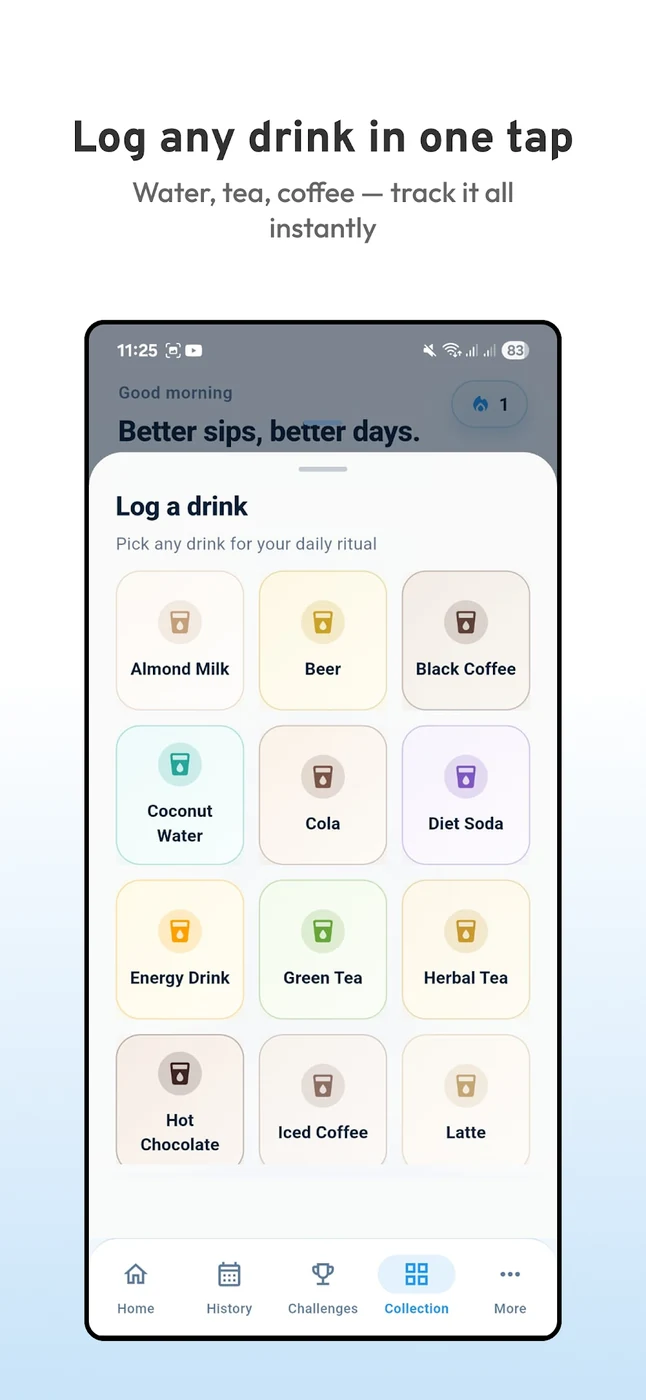
How to map your bottle to SipHours presets
BLUF: Measure one full fill of your bottle once, then create SipHours presets that match half, three-quarters, and full marks. After that, tracking is one tap per pour instead of mental math every hour.
- Fill and mark. Note the printed oz/ml lines on your bottle—or weigh/measure once if lines are missing.
- Create SipHours presets. Example: 250 ml, 500 ml, 750 ml for a 750 ml bottle; or 16 oz and 32 oz for a half-gallon style 64 oz water bottle.
- Set the daily goal. Seed SipHours with a realistic target, then refine after a week of logs. Deeper goal math lives in track water intake.
- Turn on waking-hour reminders. SipHours spaces prompts while you are awake so the water bottle tracker nudges you before dry stretches stack up.
- Edit mistakes immediately. Delete or adjust a tap so SipHours history stays trustworthy.
Alright Tech LLC Product recommends matching presets to how you actually drink—not to marketing “eight perfect glasses.” If you sip continuously from a straw bottle, log smaller chunks more often. If you chug at meetings, log larger presets when the meeting ends.
Why software trackers beat hardware for shared and travel days
BLUF: Travel, gyms, and offices constantly change vessels. A water bottle tracker that only works with one smart lid breaks those days; SipHours does not. Log hotel glasses, fountain cups, and your home BPA-free bottle with the same goal bar.
Travel: Airport security may frown at odd electronics; a normal bottle plus SipHours is quieter.
Gym: Locker-room bottles rotate; SipHours presets still apply.
Kids / partners: Each person can run SipHours without buying duplicate smart bottles.
Cost control: Put money into a durable vessel or filters; keep tracking at $0 via SipHours features.
When you want the broader product thesis—schedule-first reminders versus gadgets—reread the smart water bottle pillar. Materials questions belong on BPA-free water bottles. Capacity planning belongs on 64 oz water bottle.
Common water bottle tracker mistakes (and SipHours fixes)
BLUF: Most tracker failures are human process problems—late logging, optimistic full-bottle taps, and overnight alarms—not missing Bluetooth chips. SipHours fixes those with immediate taps, editable history, and waking-hour-only reminders.
- Logging at bedtime only: Memory invents ounces. SipHours hourly prompts push you to tap when the pour happens.
- Counting the bottle as “done” when it is half full: Match presets to real lines; partial fills keep SipHours honest.
- Buying a smart lid after one dry week: Try fourteen days of SipHours + your current bottle before spending on hardware—see the smart water bottle pillar.
- Ignoring materials you dislike: If plastic taste bothers you, switch to steel or glass BPA-free water bottles; SipHours tracking stays identical.
- Confusing capacity with the daily goal: A 64 oz water bottle is a container size; SipHours stores the target you still need to finish across the day.
Alright Tech LLC Product also links deeper intake method articles such as track water intake when you want calculator-style goal setting beyond bottle math alone.
A one-day water bottle tracker routine
BLUF: Open SipHours at wake, answer hourly prompts with real pours, and close the remaining goal before sleep—not with a midnight chug. The bottle is the tool; SipHours is the scoreboard.
Morning: Log the first fill after you set up for the day.
Midday: Use SipHours reminders as meeting breaks to drink and tap.
Afternoon: This is where memory fails—trust the prompt, then log.
Evening: Finish remaining SipHours milliliters with an early dinner pour when possible.
If a clinician set a fluid limit, enter that exact ml/oz number as the SipHours goal and stop treating viral challenges as overrides. Review the SipHours features list anytime you want a concise map of goals, reminders, logging, and history before you install.
Try SipHours: Make any bottle a tracked bottle—Download SipHours free on Google Play. Waking-hour reminders, ml/oz goals, $0 forever, no in-app purchases. Android live; iOS coming soon.
FAQ
What is the best water bottle tracker if I already own a bottle?
BLUF: Prefer software that accepts custom volumes and reminders without forcing a new vessel. SipHours is built for that: any bottle, one-tap logs, waking-hour prompts, $0 on Android. Smart lids are optional accessories, not prerequisites.
Can SipHours replace a smart water bottle app?
BLUF: For goal tracking and reminders, yes for most adults. SipHours will not light an LED on your lid, but SipHours will pace intake and store history without Bluetooth. See the smart water bottle comparison table for hardware vs software trade-offs.
How do I track a 64 oz water bottle in SipHours?
BLUF: Divide 64 oz into presets (for example 16 oz taps) and log until the SipHours daily goal completes—your bottle capacity and your daily goal are related but not identical. Read 64 oz water bottle for capacity math against common goals.
Does a water bottle tracker need to be BPA-free hardware?
BLUF: BPA-free refers to bottle materials, not the tracker. Choose BPA-free water bottles for the vessel; use SipHours for the log. SipHours never requires a branded plastic recipe.
Is SipHours free, and where do I see features?
BLUF: SipHours is $0 forever with no in-app purchases on Google Play; iOS is coming soon. Review the features page for goals, reminders, logging, and history, then install from download when ready.